

What customers see by default
None of these says “AI” unless you write it. The display name, for example, is whatever you enter. To disclose, add it yourself with the settings below.
Where to disclose on each channel
Chat Bubble and Center Stage
Go to Channels, click Manage on the Chat Bubble card, and open Display > Content. Each field suits a different level of disclosure:- Display name: include it in the name, such as “Acme AI Assistant”.
- Initial message: the first message the customer sees. Example: “Hi, I’m Acme’s AI assistant. I can answer questions about orders and returns, and connect you with our team anytime.”
- Dismissable notice: shown above the text input until the customer sends a message. Up to 200 characters, with rich text.
- Footer: shown below the text input for the whole conversation. Up to 200 characters, and can link to a page explaining how you use AI.
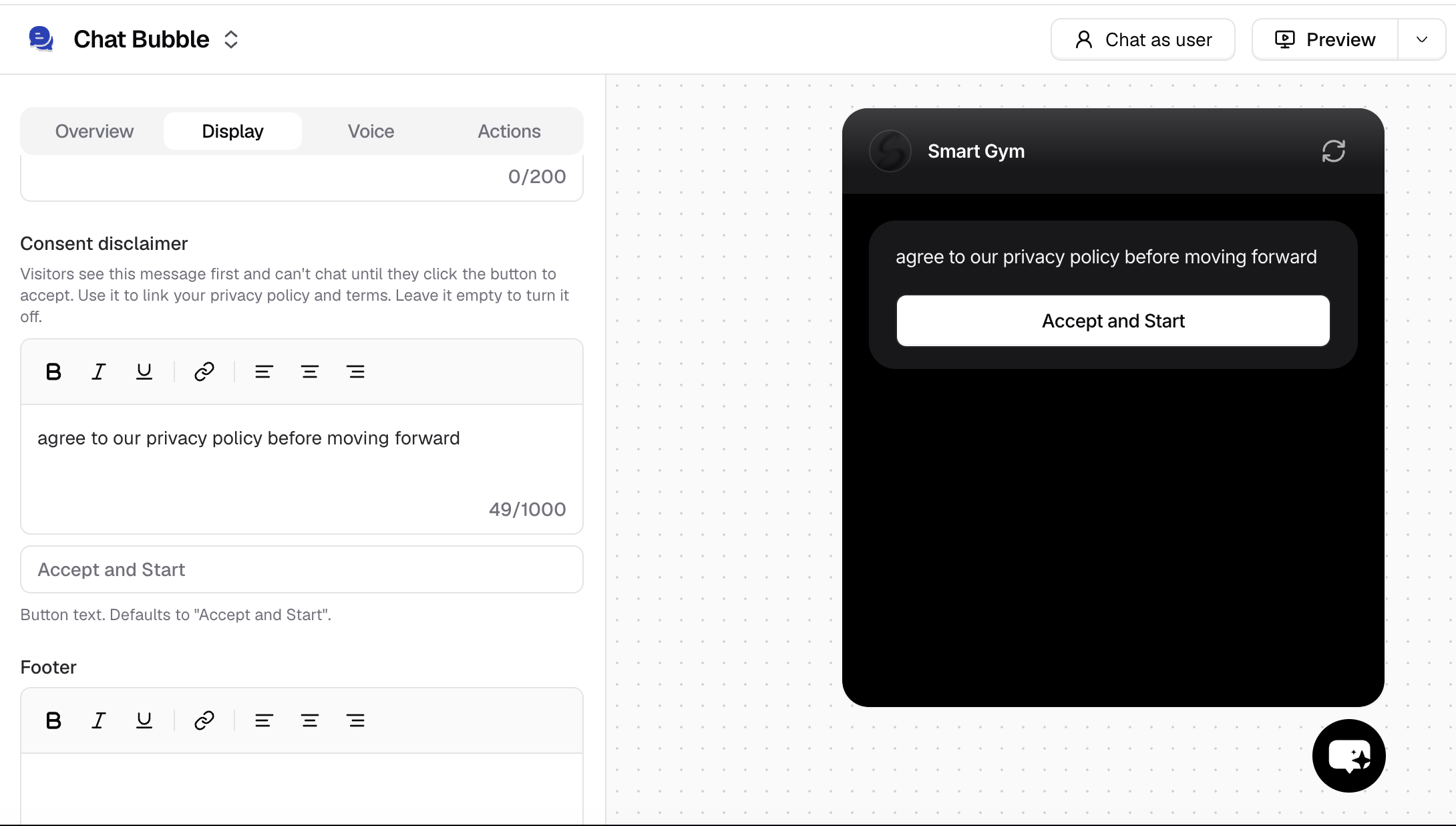
- Consent disclaimer: shown before the chat starts. The customer must click the accept button, Accept and Start by default, before they can type. Up to 1,000 characters. See Consent disclaimer.
setOptions. See Runtime options.
Voice and phone
On Build > Voice, the Initial message is the first thing the AI agent says when a call or voice session starts. Example: “Hi, you’re speaking with Acme’s AI assistant. How can I help?” If you leave it empty, the AI agent waits for the caller to speak first, so add the disclosure to your instructions as well. See Messages.Make the AI agent disclose in the conversation
On WhatsApp, Messenger, and Instagram, and whenever a customer asks “Am I talking to a bot?”, the disclosure comes from your instructions. Add it to Build > Instructions, in the General or Guardrails section, so it applies to every conversation on every channel. Example instructions:Hand off to a person when asked
A disclosure works best when the customer can act on it. Set up a handoff so “I want a human” always leads somewhere:- Escalations create a ticket in the Chatbase Helpdesk or a connected platform such as Zendesk, so your team can follow up.
- Chatbase Live Chat hands the conversation to a teammate in the Helpdesk in real time. In the Chat Bubble, the customer sees Waiting for support agent to join until a teammate replies, so it’s clear when a person takes over.
Example conversation
With the Initial message, instructions, and Escalations set up as above, a WhatsApp conversation might go:- Customer: Hi, where’s my order #1042?
- AI agent: Hi! I’m Acme’s AI assistant. Let me check order #1042 for you…
- Customer: Are you a real person?
- AI agent: No, I’m an AI assistant. I can keep helping, or connect you with someone from our team. Which would you prefer?
- Customer: A person, please.
- The AI agent asks for the customer’s email or any custom field you set up, creates a ticket, and a teammate replies in the same WhatsApp thread.
Test your disclosure
- Open the Playground and check that the display name, initial message, notice, or footer appear as you expect.
- Ask “Am I talking to a bot?” and “Are you human?” in a few different ways.
- Add a Test with a simulated user who asks whether they’re talking to a person, and the success criterion “The agent says it is an AI assistant and offers to connect the customer with the team.” Add your handoff Action under Expected Actions if the user asks for a person.
Frequently asked questions
Does Chatbase tell customers they're talking to an AI?
Does Chatbase tell customers they're talking to an AI?
Not on its own in chat. The Chat Bubble shows the display name and picture you choose, and Powered by Chatbase branding unless you have the add-on that removes it. Use an initial message, notice, footer, consent disclaimer, or instructions to disclose. On Email, turn on AI Composition Disclaimer.
What's the best place to disclose in the Chat Bubble?
What's the best place to disclose in the Chat Bubble?
The Initial message is seen by everyone who opens the chat. Add the Footer for a disclosure that stays visible, or the Consent disclaimer if customers must accept something before chatting.
How do I disclose on WhatsApp, Messenger, or Instagram?
How do I disclose on WhatsApp, Messenger, or Instagram?
These channels have no display text you can set, so add a rule to your instructions, such as “In your first reply, say briefly that you are an AI assistant.”
Can the AI agent pretend to be a person?
Can the AI agent pretend to be a person?
Write instructions that tell it not to. Add “Never claim or suggest that you are a human” to your instructions, and test it with questions like “Am I talking to a real person?”
Is AI disclosure legally required?
Is AI disclosure legally required?
It depends on where you and your customers are, and on your industry. Chatbase can’t advise on this. Check the requirements that apply to you with your legal team.
Related
Channels
Every Chat Bubble display setting.
Escalations
Hand a conversation to your team with a ticket.
Tone and personality
Give your AI agent a name and voice that fit your brand.
Out-of-hours behavior
Offer live chat only when your team is available.