

Adding a child ticket
1
Open the Child tickets section
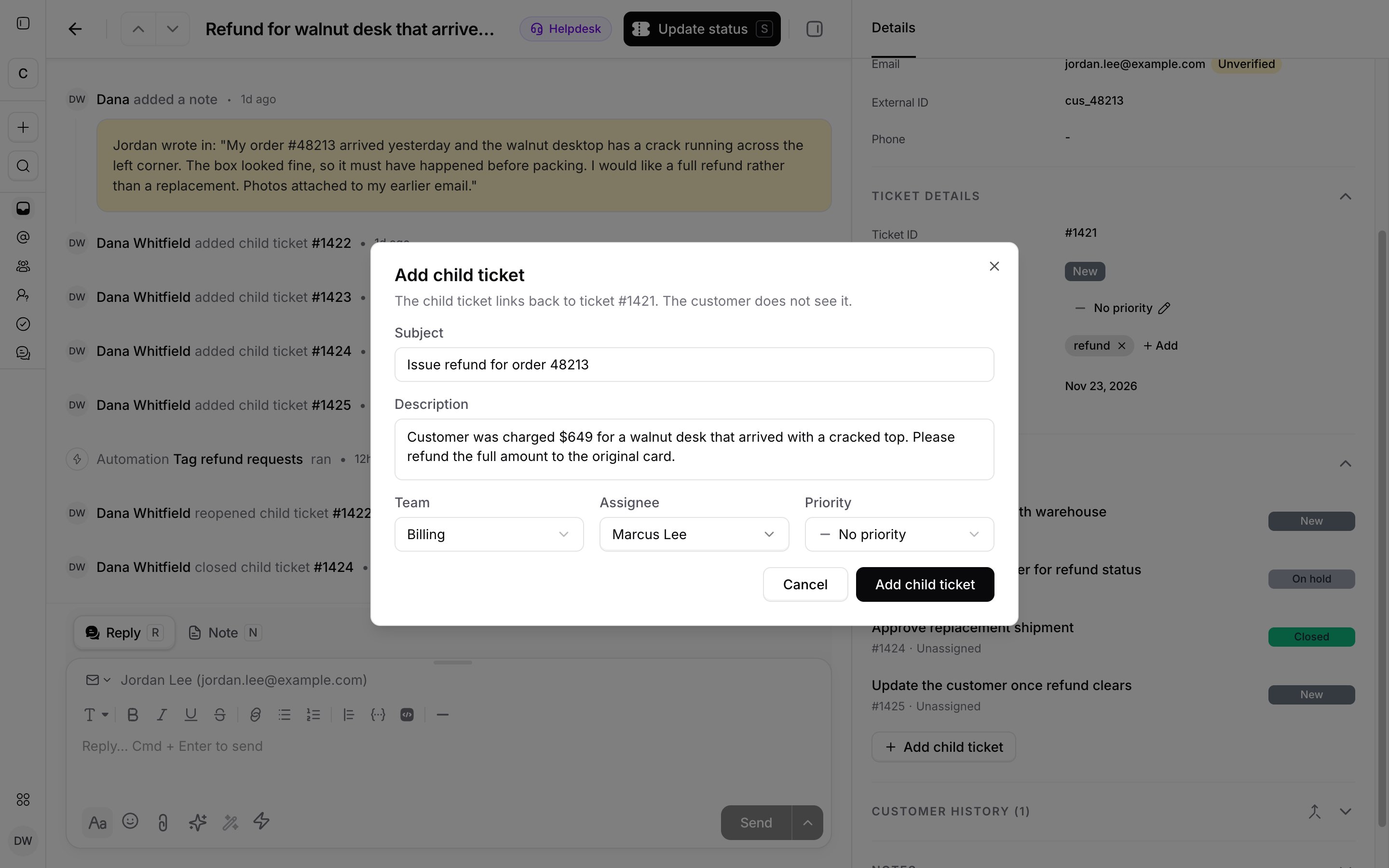
On the ticket, find Child tickets in the right-hand panel and click Add child ticket.
2
Describe the work
Give it a subject of up to 500 characters. The description is optional and becomes the first note on the child ticket. Without one, the child ticket starts with an empty timeline.
3
Choose who gets it
Team starts on your default team. With a team and no assignee, the team’s assignment strategy picks the agent. To leave the child ticket unassigned, choose No team. The assignee doesn’t have to be on the team you pick.
4
Click Add child ticket
The child ticket appears in the section straight away, and the parent’s timeline records who added it.
Following child tickets from the parent
The Child tickets section lists each child ticket with its subject, ticket number, assignee and status. Its title shows how many are closed, such as Child tickets 1/4. Click a child ticket to open it.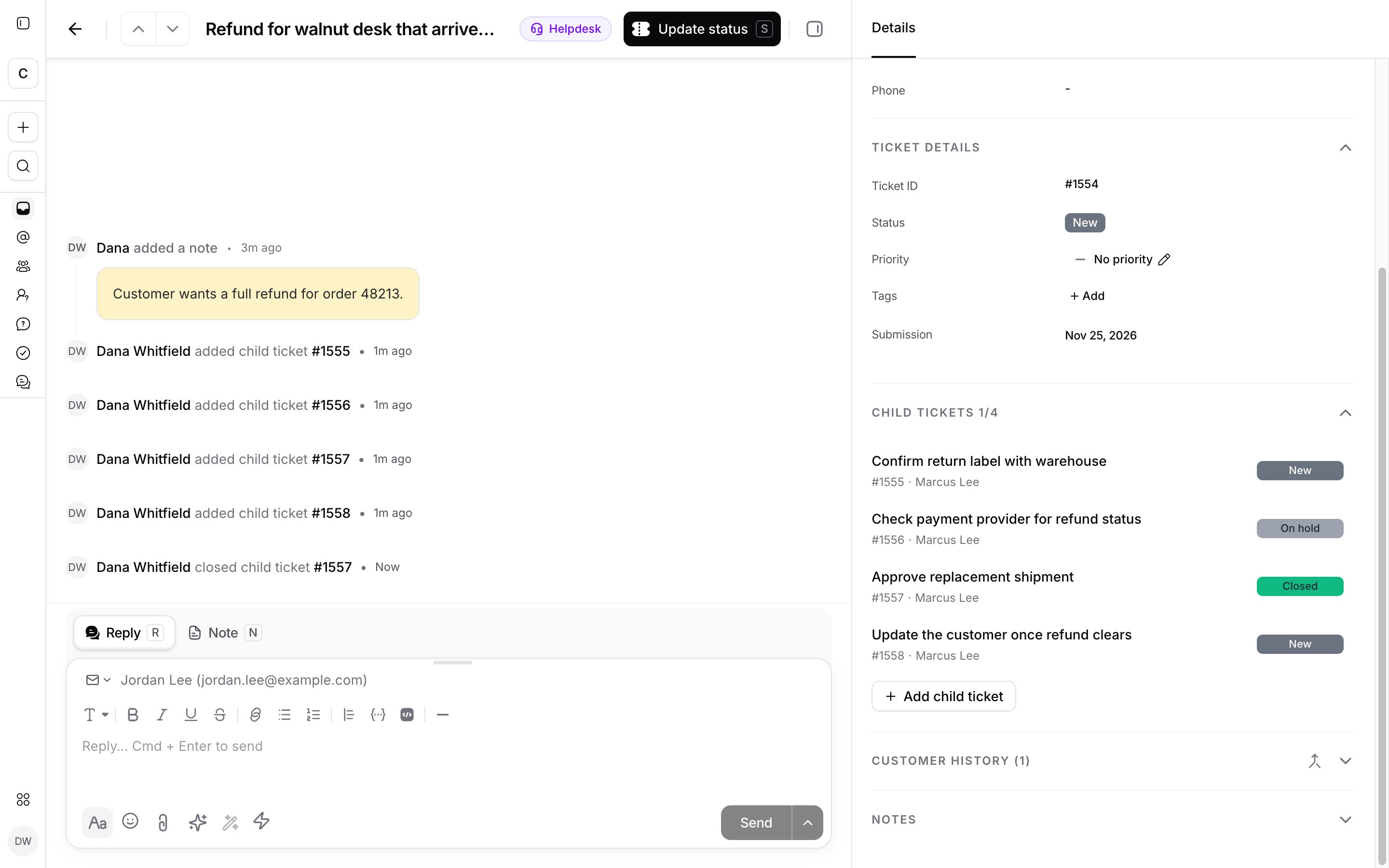
Working on a child ticket
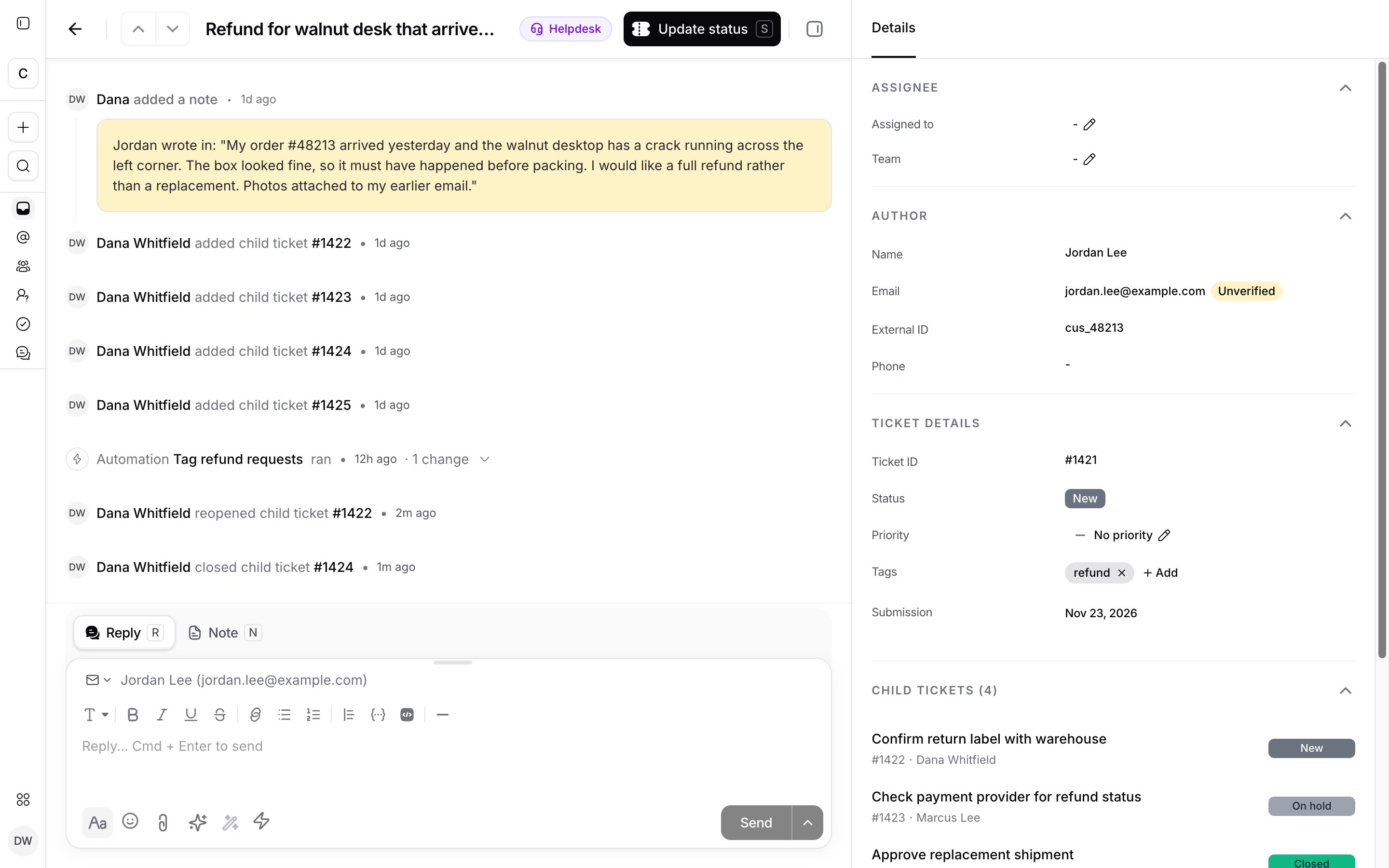
A child ticket opens like any other ticket, with these differences:- The composer writes notes only.
- Ticket Details shows its Type as Internal.
- A Parent ticket section shows the parent’s subject, number and status. The badge with the parent’s number in the ticket header links to the parent too.
- The customer sections of the panel, such as Customer History, are left out.
Child tickets of a child ticket
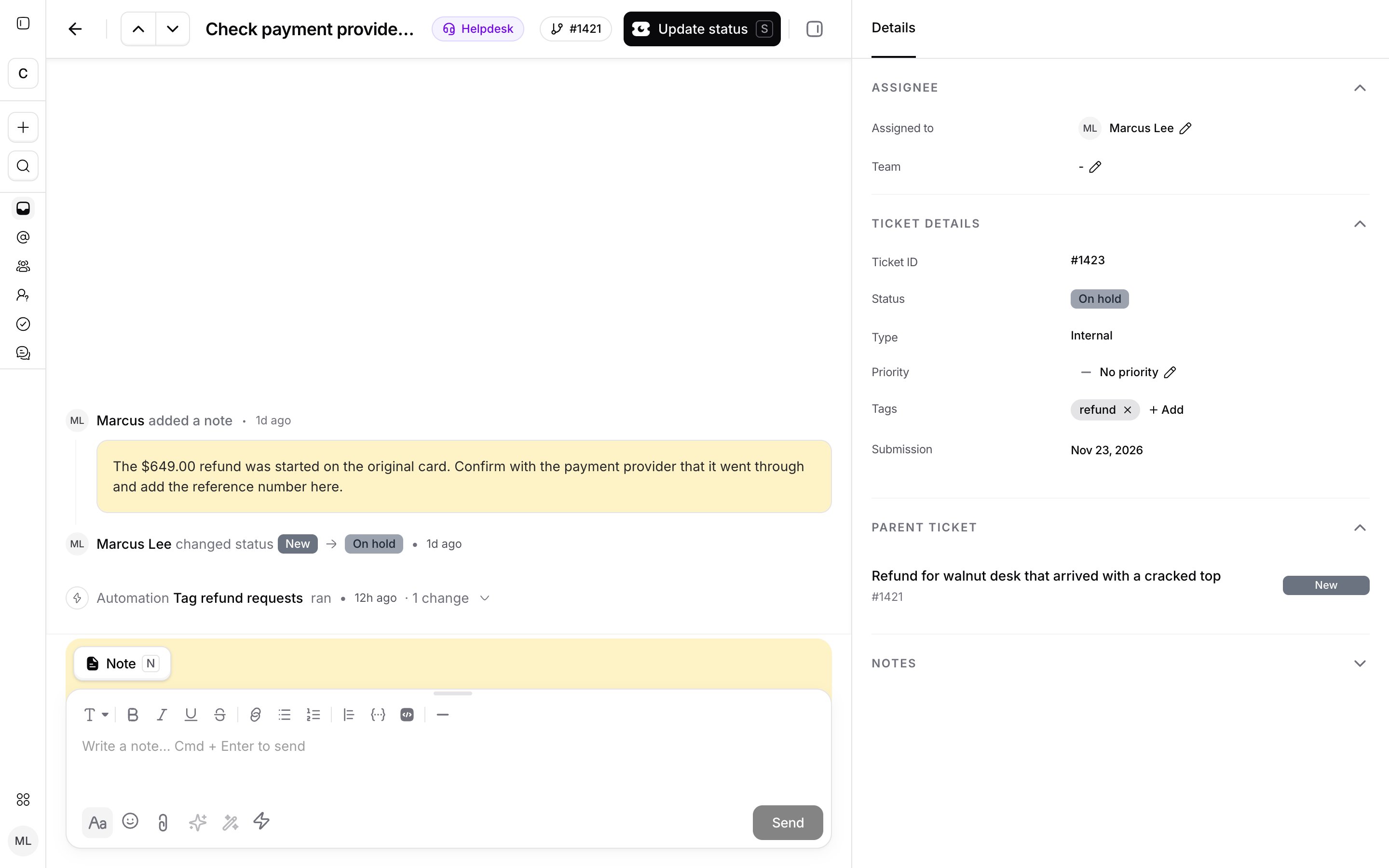
A child ticket can have child tickets of its own. Each ticket lists only the child tickets added directly to it, and its Parent ticket section shows only the ticket directly above it.Child tickets in the inbox
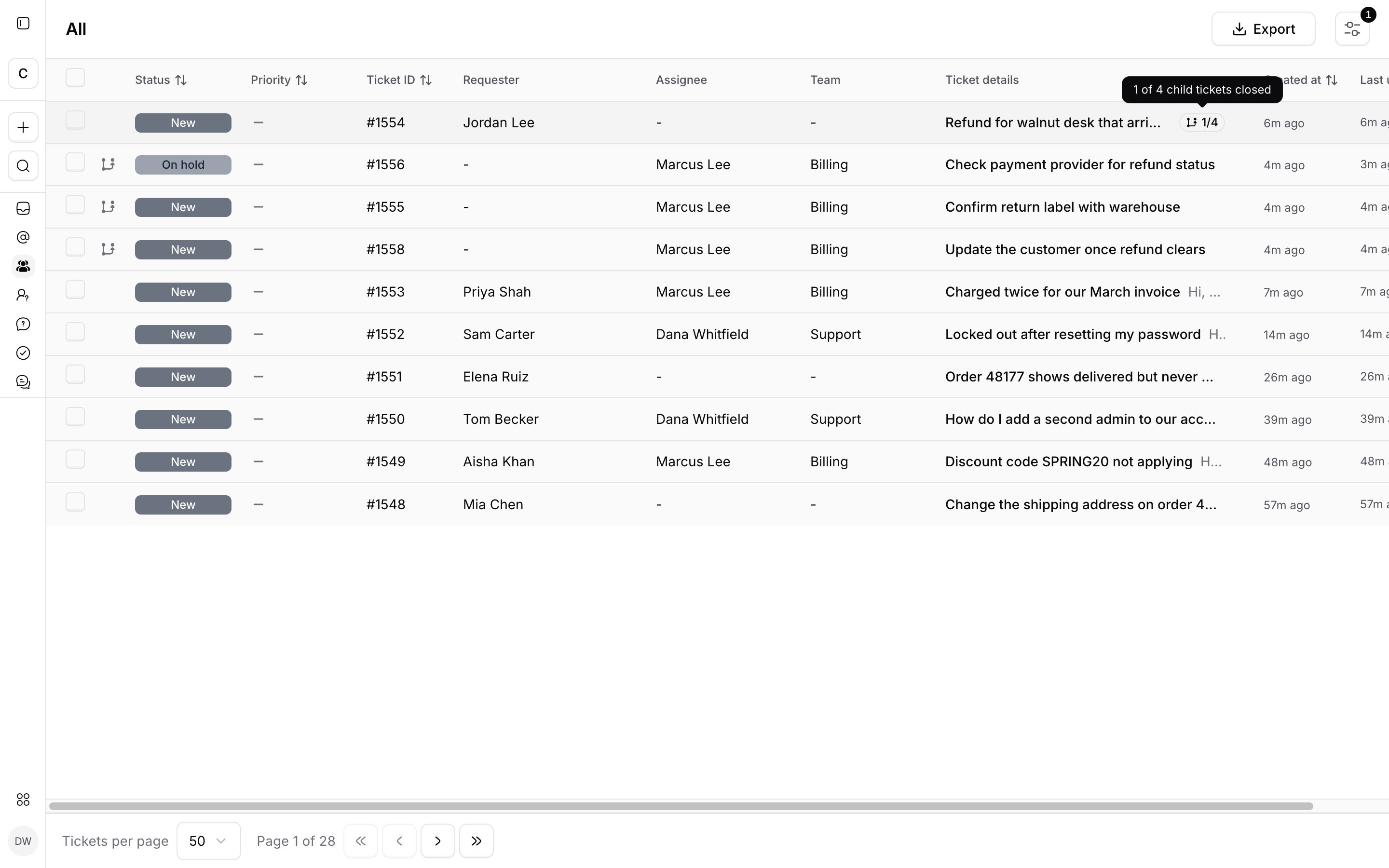
Child tickets appear in My inbox, Unassigned and All next to customer tickets, and count in those numbers. A branch icon marks each one, and its Requester column shows-.
A ticket with child tickets shows a progress badge after its subject, such as 2/3 when two of its three child tickets are closed. Cancelled child tickets count as closed. The badge counts direct child tickets only.
Closing a ticket that has open child tickets
Closing a ticket that still has open child tickets, from Update status or with Send and close, opens a list of them. Every child ticket starts checked, and the checked ones close with the ticket. Select all checks or clears the whole list. Unchecked child tickets stay open with their assignees. With Send and close, the reply goes out first and the tickets close after it sends. If you cancel instead, nothing is sent and your draft stays in the composer.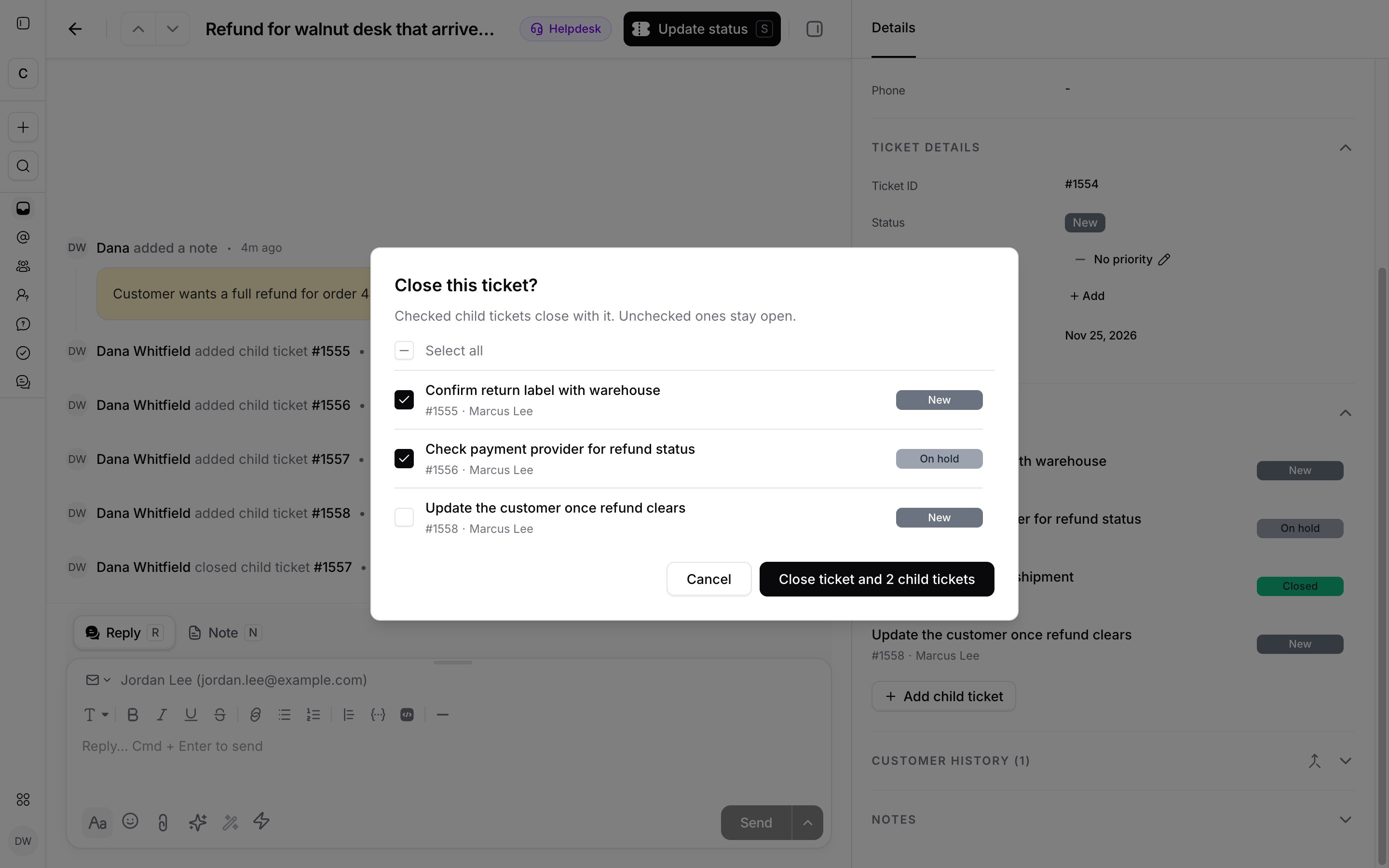
Where child tickets are left out
Child tickets are internal work, so the parts of the Helpdesk that deal with customers skip them:- Helpdesk Analytics leaves child tickets out of its numbers and its Type filter.
- The API doesn’t list child tickets, and asking for one by its number returns not found.
- A child ticket can’t be merged. A ticket that has child tickets can, and its child tickets stay linked to it.
Triggers and automations
Triggers and automations run on child tickets like on any other ticket. To include or leave out child tickets in a rule, add a Ticket type condition with the value Internal. An action that emails the customer does nothing on a child ticket, because a child ticket has no customer, and the rule’s other actions still run.Child tickets and agent workload
A child ticket assigned to an agent counts toward the team’s max tickets per agent, the same as a customer ticket. A team can change that so internal work doesn’t use up an agent’s slots:1
Open the team
Go to Settings → Helpdesk → Teams & assignment and select the team’s chip.
2
Open the ticket type settings
Under Ticket types that count toward agent workload, click Configure. The row sits below Statuses that count toward agent workload.
3
Turn off Internal
Turn Internal off and click Save in the panel. The same panel covers Standard ticket, Live chat and Outbound tickets.
Frequently asked questions
Can the customer see a child ticket in the Helpdesk?
Can the customer see a child ticket in the Helpdesk?
No. A child ticket has no customer and takes notes only, so nothing on it is sent to the customer of the parent ticket.
Does closing a ticket close its child tickets?
Does closing a ticket close its child tickets?
Only the ones you leave checked. When you close a ticket that still has open child tickets, the Helpdesk lists them, and any you uncheck keep their own status.
How do I know when a child ticket is done?
How do I know when a child ticket is done?
Check the Child tickets section or the timeline on the parent ticket, or the progress badge next to the ticket’s subject in the inbox. The parent’s assignee isn’t notified when a child ticket closes.
Do child tickets count toward an agent's max tickets?
Do child tickets count toward an agent's max tickets?
Yes, by default. Turn Internal off under Ticket types that count toward agent workload in the team’s settings to stop counting them.